Recommended app of the week: Silverbullet
RECOMMENDED APP OF THE WEEK

This blog runs on the Astro framework, which has native support for Markdown. That’s great, because I love writing in Markdown. It’s the closest I can get to stream-of-consciousness writing while still allowing some structure and formatting for my text. It also can be written and rendered in editors like Visual Studio Code, and really any text editor. However, since I decided to start writing longer-form content more regularly, I wanted to try to find something that’s really meant for doing that with Markdown. I looked at some options, but couldn’t find something that was the right balance of minimal and featureful. Then I came across Silverbullet!
What is Silverbullet?
Silverbullet is an open-source, web-based Markdown editor that has a super minimal interface: a title, a home button, a command palette, and a text editor. It loads instantly and feels super snappy. It’s also got apps for Mac, Linux, and Windows (with a PWA1 for Android and iOS). It’s open-source and really easy to spin up with a Docker command (or your Docker Compose manager).
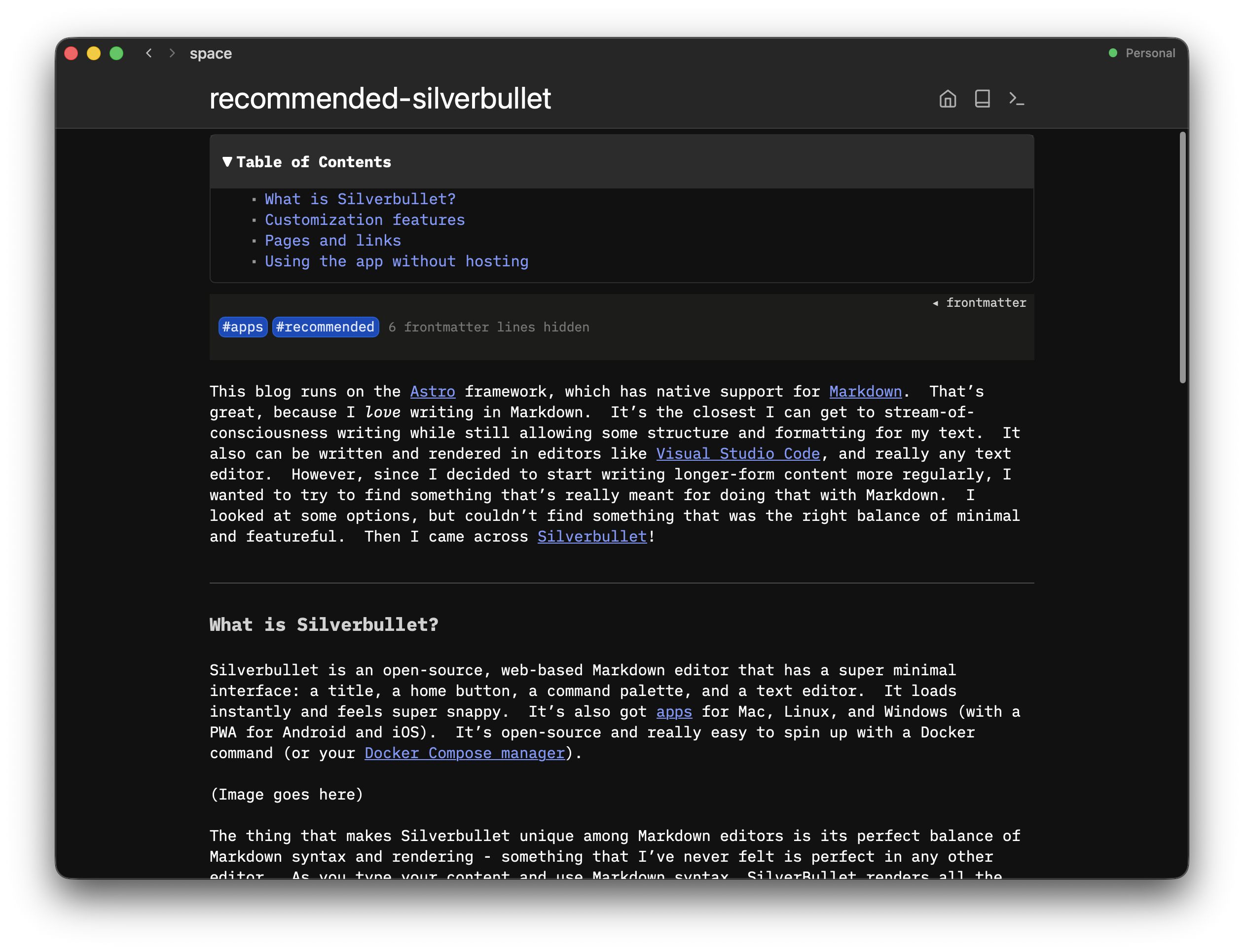
The thing that makes Silverbullet unique among Markdown editors is its perfect balance of Markdown syntax and rendering - something that I’ve never felt is perfect in any other editor. As you type your content and use Markdown syntax, SilverBullet renders all the styling for any content that your cursor isn’t focused on. That means you don’t have a secondary pane that displays your rendered Markdown; you just have your content rendered in the same way it’ll show up when it’s exported. You can also use standard keyboard shortcuts like Ctrl+B to bold text or Ctrl+I to italicize. I’ve never used a Markdown editor that I developed muscle memory for as fast as Silverbullet - everything just feels super fluid and navigating through my content feels natural and effortless.
Customization features
Something else that’s neat with Silverbullet is that since the entire app is a webapp, you can add your own custom code in three different languages: JavaScript, CSS, and Lua. This means that you can edit the functionality and look and feel of the app just by using Markdown codeblocks with custom language tags, like so:
```space-style
body {
  font-size: 0.8rem;
}

#sb-main .cm-editor {
  font-size: 14px;
}
```
Now those styles apply to the whole interface. You can change colors, fonts, margins, and whatever else you’d like to your heart’s content.
Pages and links
Every page in Silverbullet is also connected. You can only create a new page by creating a link from an existing page. This means that what you end up with is essentially a web of notes that are easy to search and navigate since they’re all logically connected together in whatever way you think makes sense for you.
Using the app without hosting
If you aren’t a self-hosting enthusiast, you can easily run Silverbullet without a server just by using the desktop application. This will store your content as regular Markdown files in a folder on your computer. This is great for fully offline use and simplicity. There is also a Silverbullet+ Pro plan available if you want to support the open-source project and access really advanced features like Meta Spaces (basically a way to combine multiple spaces by having one as a shared configuration source).
Though developers will definitely get the most use out of it, I think that Silverbullet is a great option for anyone who wants to write and organize minimally formatted content in a structured, but zen-like environment. And that’s why it’s the recommended app of the week!
Footnotes
The recommended app of the week is a weekly post about a helpful, interesting, or unique app or tool that I use in my everyday life. It releases weekly on Fridays, or whenever I manage to publish it. Recommendations are never sponsored or paid for, they’re only things that I use that I feel can be helpful to others!